For Shopify purchase orders and transfers
Print barcode labels from Shopify purchase orders and transfers
Every label for a delivery in one go, on the printer you already own. The app only ever reads your catalogue, so it cannot rename a product or overwrite a SKU. Not by policy, by permission.
Free plan, no card needed. Installing takes about a minute. You can also install from the Shopify App Store.
No store to connect? Use the free barcode label generator: paste your SKUs or barcodes, get a print ready PDF. No account, nothing stored.
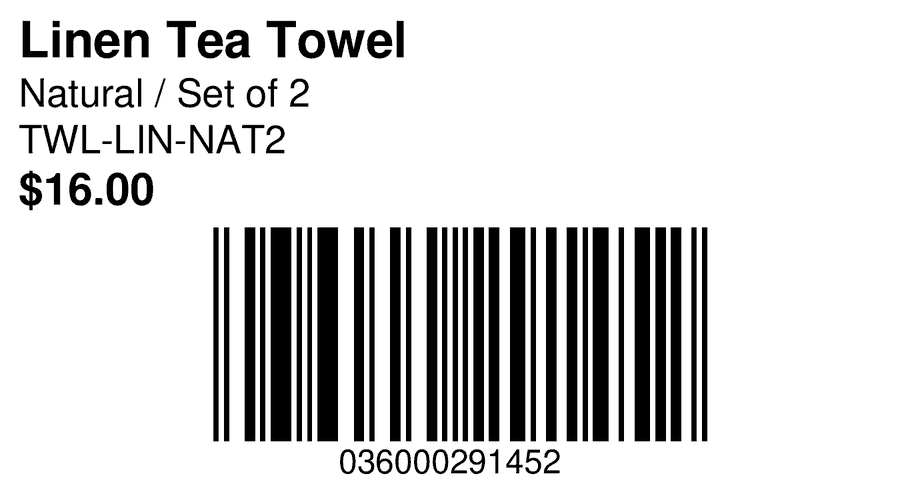
I measured whether the barcodes scan
Unreadable labels are the most common complaint in this category, so every preset here was test-printed and scanned before it went live.
What it does
Straight from the paperwork
Paste your purchase order lines, upload the CSV your supplier sent, or pull a native Shopify transfer. Quantities come from the document, so nobody retypes them and nothing starts at one label by accident.
It cannot break your catalogue
The app asks for read access to products and transfers, and nothing else. There is no code path that writes to your store, because Shopify never granted it one.
Half a sheet is not a wasted sheet
Tell it which label to start on and it fills the rest of a part-used Avery sheet. Reprints come back exactly as they printed the first time, from the saved job.
Supplier on the label
Shopify has no supplier field of its own, so the app reads supplier and supplier code from the purchase order file you upload and prints them on the label.
Warnings before you print
If bars would come out too narrow, a title will not fit, or a line has no usable barcode, you see it on screen while it is still cheap to fix.
Real Zebra output
Native ZPL, not a picture of a label pushed through a driver. Custom roll and sheet sizes in millimetres or inches, with a fit check that refuses a grid which would run off the page.
Printers and stock
Presets built to the published geometry, plus any custom size you need.
One job, done properly
This prints labels. It does not manage your inventory, and that is deliberate: it only ever reads your catalogue, which is what makes it impossible for this app to damage anything. An app that counted stock and rewrote costs could not make that promise.
So it stays out of the way of whatever you use for the rest. Keep your stocktakes, landed costs, reorder forecasting and accounting sync wherever they live now. This runs alongside them and handles the one part that Shopify admin still cannot do from a purchase order.
Pricing
Free
$0
300 labels a month
- In as many runs as you like
- All 40 built-in label sizes
- Print history and exact reprints
- A run that does not fit is refused before it starts
Pro
$12
Limited-time offer: 60% off $29.99
per month, 7 day free trial, or $120 a year
- No monthly label limit, against 300 a month on Free
- The label designer and saved templates
- Custom label sizes and Zebra ZPL export
- Email support from the developer
- Label setup: send a photo or PDF of your label, get it back as a saved template
AK: PO & Barcode Label Printer is live on the Shopify App Store
The free plan needs no card. Install it from the apps.shopify.com/aislekit-label-print listing, or type your store domain in the box at the top of this page. Coming from Stocky? The Stocky guide covers what replaced each of its workflows.
Install from the Shopify App Store